Difference Between 2D and 3D Drawings in Interior Design
In interior design and architecture, both 2D and 3D drawings play a vital role in visualizing, planning, and executing projects. However, they serve different purposes and provide different levels of detail and understanding.
✅ 1. 2D Drawings (Two-Dimensional)
Definition:
2D drawings are flat representations of a design, showing only length and width (X and Y axis) on a single plane.
Common Types:
- Floor plans
- Elevations (front/side views)
- Electrical and plumbing layout
- Furniture layout
Purpose:
2D drawings are primarily used for technical planning, construction guidance, and initial layout design. They help professionals understand measurements, wall placements, and structural details.
Advantages:
- Precise and detailed dimensions
- Easy to create and modify
- Ideal for contractors and engineers
Limitations:
Hard for non-technical people to imagine the real space
Not visually engaging for clients
Doesn’t show height or depth

3D Drawings (Three-Dimensional)
Definition:
3D drawings represent designs in a three-dimensional space, including length, width, and height (X, Y, and Z axis).
Common Types:
- 3D perspective views
- Isometric drawings
- 3D walkthroughs and renderings
Purpose:
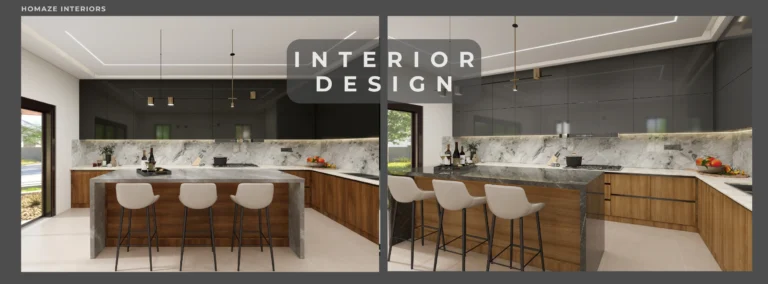
3D drawings are used to visualize the final look of a space, including color, lighting, materials, and textures. They help clients see what the completed project will look like.
Advantages:
- Realistic and immersive
- Easy for clients to understand
- Shows finishes, textures, furniture, and lighting effects
Limitations:
- Time-consuming to create
- Requires advanced software and skill
- Might not show technical details like exact dimensions
🏡 At Homaze Home Interiors, we use both 2D and 3D drawings:
- 2D Drawings help plan the layout, electrical points, and carpentry work accurately.
- 3D Drawings help our clients visualize the design before execution, ensuring satisfaction and clarity.
🔁 Summary Table:
| Feature | 2D Drawing | 3D Drawing |
|---|---|---|
| Dimensions | Length & Width | Length, Width & Height |
| View Type | Flat view | Realistic visual perspective |
| Usage | Technical planning | Design presentation |
| Tools | AutoCAD, Sketch | 3ds Max, SketchUp, Lumion |
| Client Understanding | Basic | High – realistic and visual |